

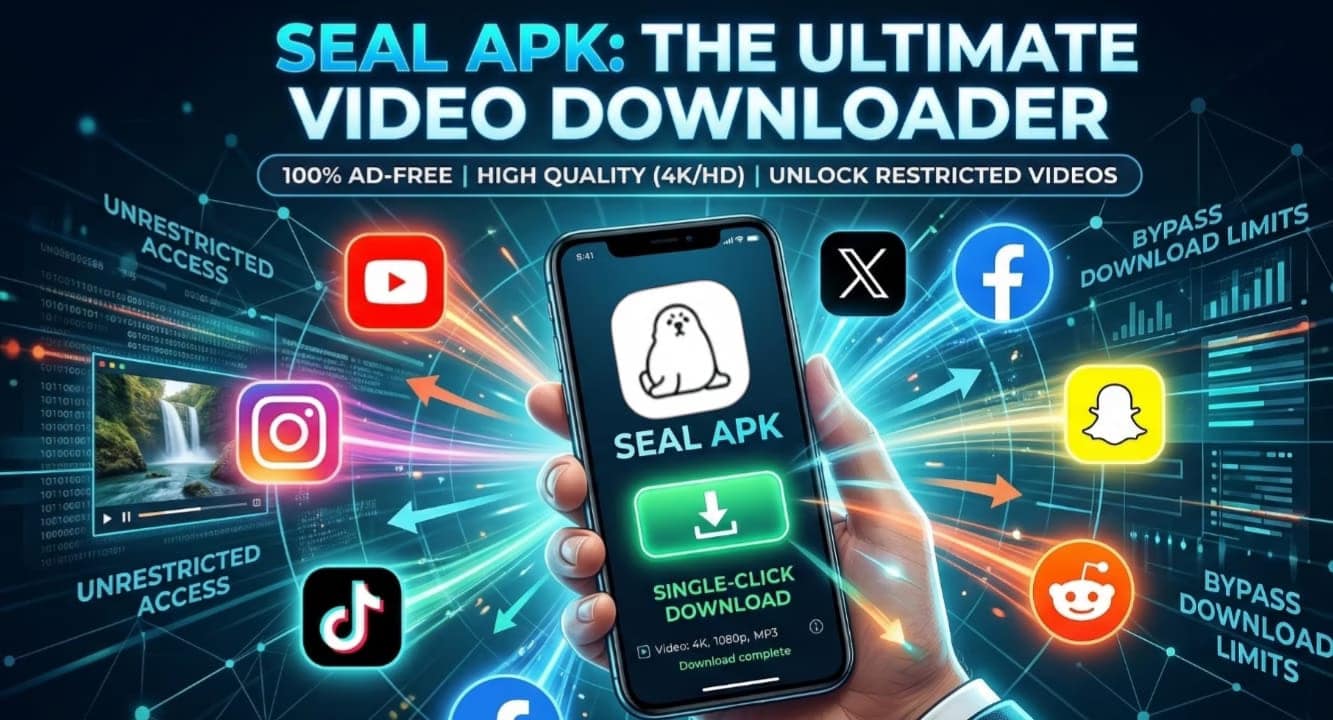
In today’s fast-paced digital world, scrolling through social media has become a core part of our daily routine. Whether it is a hilarious Instagram Reel, an informative YouTube tutorial, a trending TikTok dance, or a memorable Facebook clip, we constantly come across videos we want to save. You might want to watch them later when you do not have an internet connection, or perhaps you want to share them directly in your family WhatsApp group.
However, there is a massive roadblock: most social media platforms do not want you to leave their apps. They purposely remove the download button or restrict videos so you cannot save them directly to your phone’s gallery. When you face this issue, the usual solution is to search for third-party video downloaders. But let’s be honest—most of those apps are a nightmare. They are packed with annoying pop-up ads, fake download buttons, and sometimes even harmful malware that can slow down your device.
Here at The TechDrive, we are always hunting for the cleanest, most efficient solutions to everyday tech problems. If you are tired of fake apps and endless advertisements, there is a game-changing tool you need to know about. It is called Seal APK. In this comprehensive guide, we are going to explore what Seal APK is, why it completely destroys the competition, and how you can use it to download absolutely any video on the internet with a single click.
What is Seal APK?
Seal APK is a highly powerful, open-source video and audio downloader designed specifically for Android devices. Unlike standard downloader apps that use basic web-scraping methods, Seal is built on the engine of yt-dlp. For those who might not know, yt-dlp is a famous command-line tool used by advanced programmers to extract videos from thousands of websites.
What the developers of Seal APK have done is absolutely brilliant. They took that massive, complex coding power and wrapped it inside a beautiful, simple, and user-friendly interface using Google’s Material You design language. This means you get the raw downloading power of a developer tool, but you do not need any coding knowledge to use it. You just paste a link, and the app does all the heavy lifting for you.
The Problem with Standard Video Downloaders
Before we dive into Seal’s features, it is important to understand why standard downloaders are failing users today. If you have ever used popular alternatives, you probably noticed a few major issues:
- Intrusive Advertisements: You open the app, and you are immediately forced to watch a 30-second unskippable video ad. Then, you have to carefully avoid clicking fake “Download Here” banners that actually lead to spam websites.
- Privacy Concerns: Many free downloaders ask for unnecessary permissions, like access to your contacts or location, secretly collecting your data to sell to advertisers.
- Failed Downloads: When social media platforms update their code, traditional downloaders stop working until the app developers figure out a fix, which can take weeks.
Seal APK solves every single one of these problems effortlessly.
The Incredible Features of Seal APK
Seal APK is not just another app; it is a complete upgrade to your mobile experience. Here are the standout features that make it the ultimate video downloading tool:
1. 100% Ad-Free Experience
Because Seal is an open-source project created by independent developers, it is not built to make a profit off your screen time. There is not a single banner, pop-up, or hidden advertisement in the entire application. The interface is completely clean, meaning your phone runs faster, your battery lasts longer, and you never accidentally click on a malicious ad.
2. Bypass Restrictions and Download Anything
This is where Seal truly shines. Have you ever tried to save an Instagram video only to realize the creator turned off the download feature? Or maybe you found a restricted video on YouTube or a private clip on X (formerly Twitter).
Seal APK bypasses these surface-level restrictions. Because it extracts the direct media file from the server rather than just reading the webpage, it can download videos even if the social media platform has hidden the download button. If you have the link to the video, Seal can fetch it and save it directly to your local storage.
3. Single-Click Social Media Integration
You do not have to constantly switch back and forth between apps to download a video. Seal integrates perfectly with your Android system’s sharing menu. If you are watching a video on Facebook, simply tap the “Share” button, scroll across your apps, and tap the Seal icon. The app will instantly grab the link, open a small, non-intrusive menu at the bottom of your screen, and allow you to download it with one tap.
4. Ultimate Quality Control (Audio and Video)
Seal gives you total control over what you save. Do you want to watch a cinematic travel vlog on your smart TV? Download it in stunning 4K or even 8K resolution. Are you running low on mobile data and just need a quick clip? Select 360p or 480p to save space.
Furthermore, if you find a podcast or a music video and only want the sound, Seal allows you to extract high-quality audio formats like MP3 or M4A directly from the video link. You do not need a separate video-to-audio converter app anymore.
5. Advanced Customization and Subtitles
For users who like to keep their files organized, Seal is a dream come true. You can choose to download the video’s original thumbnail, the title, and the creator’s description as metadata. Even better, if you are downloading a documentary, a tutorial, or a foreign language film, you can tell Seal to download and embed the subtitles directly into the video file.
How to Install and Use Seal APK
Since Seal is an open-source app that allows downloading from YouTube (which goes against Google Play Store policies), you will not find it on the Play Store. But installing it is completely safe and easy.
Installation:
- Open your web browser and search for the official “Seal APK GitHub” page or download it through a trusted open-source repository like F-Droid.
- Download the latest
.apkfile. - Tap on the downloaded file. If prompted, allow your browser to “Install unknown apps” in your phone’s settings.
- Install the app and open it.
How to Download a Video:
- Find your video: Open any social media app (TikTok, Instagram, YouTube, etc.) and find the video you want.
- Copy the Link: Tap the share icon and select “Copy Link.”
- Open Seal: Launch the Seal app. You will see a large search bar right in the center.
- Paste and Fetch: Paste your copied link into the bar and hit the search icon. Within seconds, a menu will pop up.
- Choose and Save: Select whether you want Video or Audio, pick your preferred quality (like 1080p), and hit download. The file will immediately be saved to your phone’s gallery.
Final Thoughts
In a crowded market of buggy, ad-filled applications, Seal APK stands out as a masterpiece of mobile utility. It respects your privacy, saves you time, and provides features that you would normally have to pay a premium subscription for. Whether you are archiving educational content, saving memes to share with friends, or extracting music, this app handles it flawlessly.
Drop the frustrating third-party websites and upgrade your digital toolkit. Give Seal APK a try today, and you will never need to search for another video downloader again.