
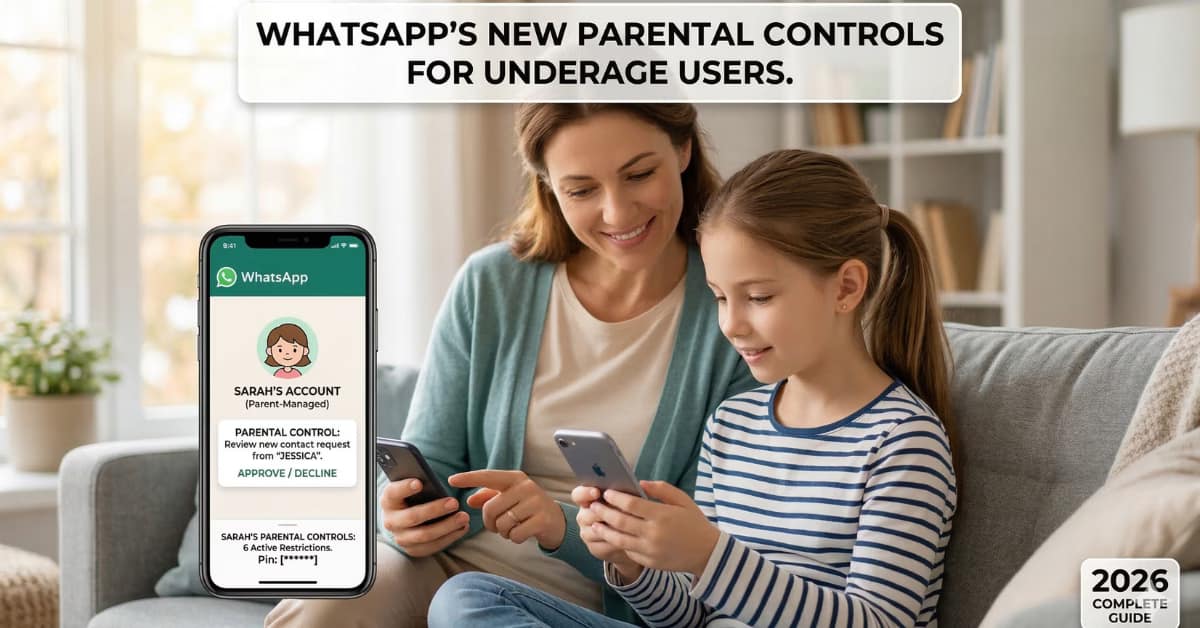
In today’s hyper-connected digital landscape, keeping children safe online is a top priority for families worldwide. Recognizing this growing need, WhatsApp has officially rolled out a highly anticipated feature: parent-managed accounts. Specifically designed for pre-teens and underage users, this major update introduces comprehensive WhatsApp parental controls that limit younger users to basic messaging and calling functions under strict parental supervision.
This guide breaks down everything you need to know about this new update, how it protects underage users, and the exact steps to set it up on your child’s device.
Why Digital Safety Matters More Than Ever
For years, parents have struggled with balancing their child’s need to communicate with peers and the very real dangers of unmonitored internet access. Cyberbullying, exposure to inappropriate content, and unwanted contact from strangers are significant concerns on any social platform.
Previously, creating a WhatsApp account gave users unrestricted access to the app’s full suite of features, which was not ideal for children. By introducing these new parental restrictions, WhatsApp is bridging the gap between connectivity and safety. This update ensures that pre-teens can stay in touch with their immediate family and approved friends without venturing into the unpredictable territories of open group chats and unknown message requests.
What Are WhatsApp Parent-Managed Accounts?
At its core, a parent-managed account flips the traditional user experience. Instead of the child creating and managing their own profile, the parent takes the reins. The parent or guardian acts as the central administrator for the account.
Through this system, the underage user is shielded from the broader network. They are granted access to essential tools like text messaging, voice notes, and video calls, but all within a heavily restricted, walled-garden environment dictated by the parent.
Key Features of WhatsApp’s New Parental Restrictions
WhatsApp has integrated several powerful tools into this update, giving parents ultimate control over their child’s digital footprint on the app.
1. Strict Contact Management
One of the biggest worries for parents is knowing exactly who their children are talking to. With the new restrictions, parents have the final say. You can manually approve or restrict specific contacts. If a number is not on the approved list, they simply cannot interact with your child.
2. Group Chat Approvals
Group chats can easily become overwhelming and are often a source of inappropriate content sharing. The new parent-managed accounts allow guardians to decide exactly which groups their child is permitted to join. A child cannot be added to a random group without explicit parental consent.
3. Message Request Filtering
When an unknown number attempts to message a standard WhatsApp account, it usually goes straight through. For pre-teens, these messages will now be intercepted. Message requests from unknown contacts are routed to a secure folder that only the parent can access, review, and either approve or permanently delete.
4. Enhanced Privacy Adjustments
Parents can easily dive into the account’s backend to maximize privacy. You can adjust settings to hide your child’s online status, profile picture, and “last seen” timestamp from anyone outside the immediate, approved contact list.
5. Secure Parent PIN Protection
To ensure these safety measures remain intact, WhatsApp has secured the entire parental control dashboard with a custom six-digit PIN. This prevents tech-savvy children from bypassing the rules or changing the account settings on their own.
Step-by-Step Guide: How to Set Up a Parent-Managed Account
Creating this secure environment is a straightforward process. Follow these steps to get your child set up safely:
- Install the App: Ensure that the latest version of the WhatsApp application is downloaded and installed on your child’s smartphone.
- Initiate Setup: Open the app on your child’s device. Tap on the “More options” menu (usually represented by three dots) and select the prompt to create a parent-managed account.
- Verify the User: Register the phone number associated with your child’s device and complete the standard SMS verification. You will then be prompted to enter your child’s exact birthday to confirm their age.
- Link to Your Device: A unique QR code will display on the child’s screen. Open WhatsApp on your own smartphone, navigate to linked devices, and scan this QR code. This links your child’s account to your administrative profile.
- Create Your Master PIN: Finally, establish a secure six-digit PIN. Keep this number safe, as you will need it to approve new contacts, review messages, and adjust any future settings.
Global Rollout and Availability
WhatsApp has confirmed that this feature is actively rolling out globally. However, as with most major software updates, it may take a few weeks to reach every region and device. If you do not see the option to create a parent-managed account just yet, ensure that you are regularly updating the app through the Google Play Store or Apple App Store.
With these robust new tools, WhatsApp is taking a commendable step forward in protecting younger generations, making digital communication a safer experience for families everywhere.
for more detail visit: https://blog.whatsapp.com/introducing-parent-managed-accounts-on-whatsapp